Modem & Router Lights Meaning: What Every LED Color Means
What does that blinking light on your modem or router mean? This guide covers every LED color and pattern across Xfinity, Spectrum, AT&T, and C...


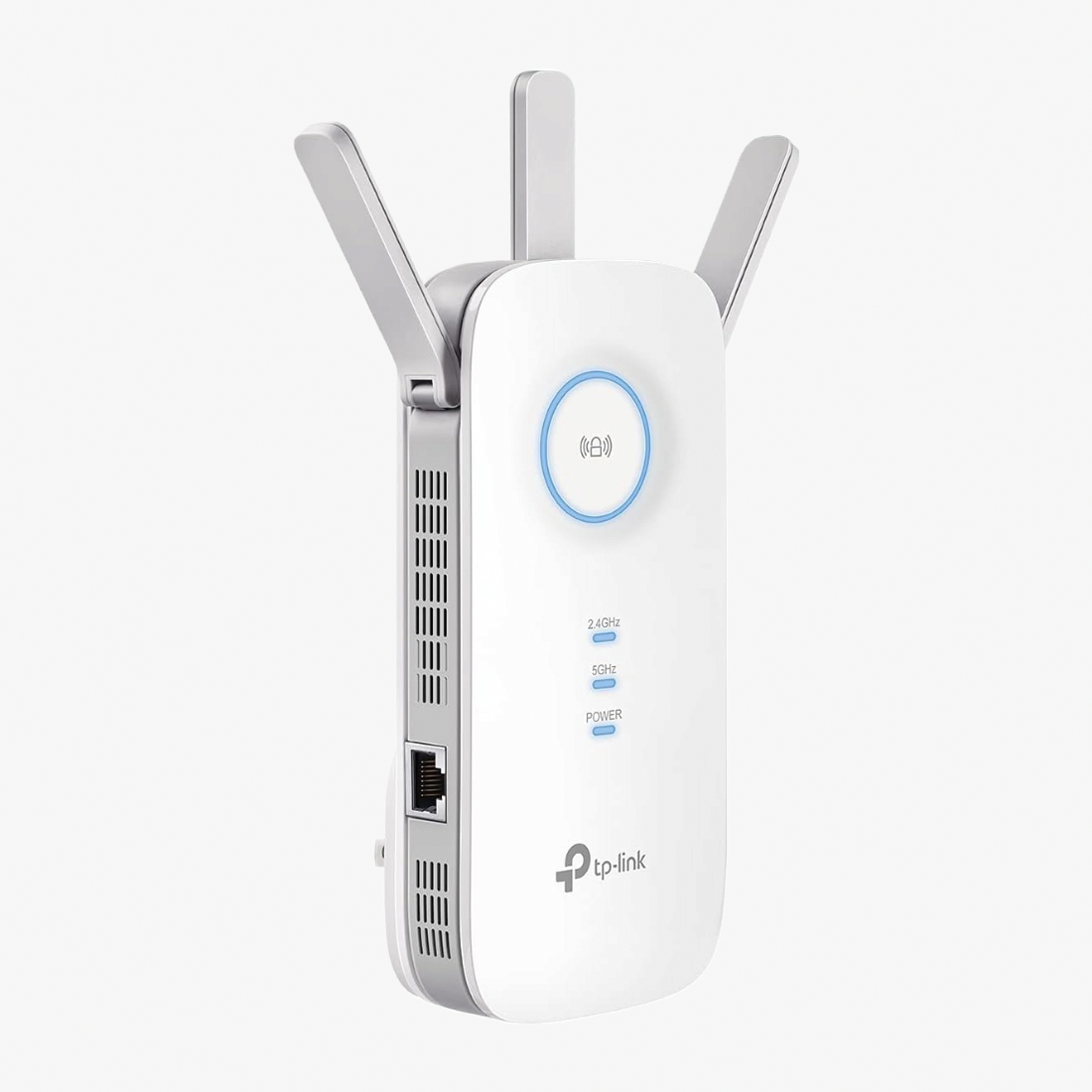
The TP-Link AC1900 WiFi Extender (RE550) delivers seamless internet coverage by extending your WiFi range for better speed, reliability, and performance. Perfect for homes and offices, it eliminates dead zones and ensures consistent connectivity.
Supports simultaneous 600Mbps on 2.4GHz and 1300Mbps on 5GHz bands, offering a total of up to 1900Mbps. Ideal for 4K streaming, online gaming, video calls, and other bandwidth-intensive tasks.
Equipped with three adjustable external antennas, the RE550 provides up to 2800 sq.ft. of coverage and supports up to 35 devices at once for reliable, high-performance networking.
Integrates with TP-Link OneMesh technology to create a single, seamless WiFi network. Move around your home without needing to switch between network names.
Features a built-in Gigabit Ethernet port to connect wired devices and convert them into WiFi-enabled connections at high speed.
Use the TP-Link Tether App on iOS or Android for quick setup and convenient remote network management from anywhere.


What does that blinking light on your modem or router mean? This guide covers every LED color and pattern across Xfinity, Spectrum, AT&T, and C...

If your internet keeps dropping out, the problem is usually your modem, your router, or the cabling between them. This guide walks you through how ...

Your eero mesh system keeps dropping offline, and the usual reboot is not cutting it. This guide covers the most common causes and walks you throug...

If your Google Nest WiFi mesh point keeps going offline while the main router stays connected, this guide covers every proven fix from power cyclin...

If your TP-Link Deco mesh system keeps losing internet, random Wi-Fi drops and red LED lights are likely caused by double NAT, weak backhaul, or fe...

Your Netgear router shows a Wi-Fi connection but has no internet access. Walk through seven proven troubleshooting steps, from a proper power cycle...