Actiontec T3200 Manual: Setup, Login, WiFi, and Bridge Mode
A plain-language Actiontec T3200 manual covering features, admin login at 192.168.0.1, changing your WiFi name and password, bridge mode setup, lig...


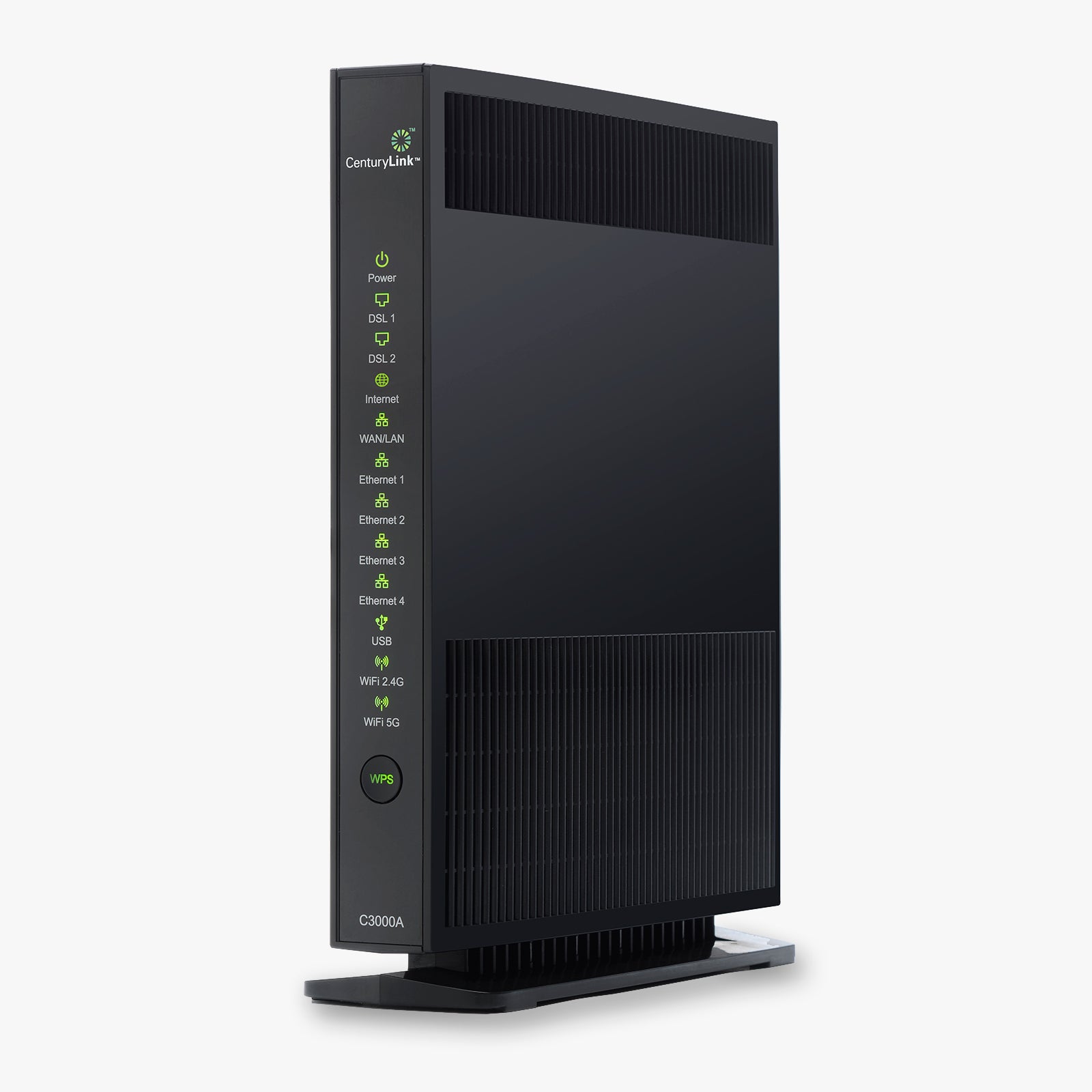


The Actiontec C3000A is a bonded VDSL2/G.fast wireless AC gateway router built for CenturyLink internet service. It works as both a modem and a router in one device, eliminating the need for separate hardware and saving you the $15/month CenturyLink modem rental fee.
This all-in-one gateway supports CenturyLink ADSL, ADSL2+, VDSL2, and Fiber (GPON) connections across FTTN, FTTdp, FTTB, and FTTP deployments. Plug it in, open a browser, and the built-in Auto-Detect Wizard configures your connection automatically. No technician visit required.
The C3000A delivers speeds up to 6 Gbps (6000 Mbps) using pair-bonding technology. Dual-band 802.11ac WiFi operates on both 2.4 GHz and 5 GHz bands simultaneously, and SmartSteering automatically moves your devices to whichever band provides the strongest signal. This makes it well suited for 4K streaming, online gaming, video calls, and homes with 15 or more connected devices.
Getting online with the C3000A takes minutes, not hours. The Auto-Detect Wizard identifies your CenturyLink service type and configures the modem for you. Once connected, the Optim Agent software provides whole-home WiFi management, letting you monitor connected devices, adjust settings, and optimize coverage from one dashboard. TR-069 remote management support also means CenturyLink can help troubleshoot issues without sending a technician to your home.
The C3000A includes WPA3 encryption alongside WPA and WPA2 for backward compatibility. A built-in stateful packet inspection (SPI) firewall with DoS protection guards against common network attacks. Parental controls let you filter websites and log intrusion attempts, and DMZ support with password attack prevention keeps your private network isolated from external threats.
This gateway is WiFi Alliance certified with support for EasyConnect, Agile Multiband, and EasyMesh, making it ready to serve as the foundation of a mesh WiFi system if you need to expand coverage later. It is optimized for CenturyLink but we recommend confirming compatibility with your specific local service plan before purchasing.
| Technology | Bonded VDSL2 / G.fast / Fiber (GPON) |
| WiFi Standard | 802.11ac (Dual-Band Wireless AC) |
| Max Throughput | 6 Gbps |
| Compatible Provider | CenturyLink (ADSL / ADSL2+ / VDSL2 / Fiber) |
| Security | WPA / WPA2 / WPA3, SPI Firewall, DoS Protection |
| Management | TR-069, Optim Managed WiFi, Auto-Detect Wizard |
Need help setting up your C3000A?
Our free guide walks you through CenturyLink activation, WiFi password changes, and fixes for the most common issues. Read the Actiontec C3000A Setup Guide


A plain-language Actiontec T3200 manual covering features, admin login at 192.168.0.1, changing your WiFi name and password, bridge mode setup, lig...

Spectrum lag is usually easy to fix at home. This step-by-step guide shows you how to lower ping, stop buffering, and reduce latency for gaming and...

Cox internet lagging during games or video calls? Learn the fastest ways to fix Cox cable lag, lower your ping, and stop buffering with simple step...

Xfinity lag has a few common causes, and most are easy to fix yourself. This step-by-step guide shows you how to stop lag, buffering, and high ping...

Confused by Cat5e, Cat6, Cat6a, Cat7, and Cat8? Here is a plain-English guide to Ethernet cable categories, with speed and distance comparisons plu...

A plain-English guide to eero status light colors. Find out what solid white, red, blue, green, and yellow lights mean, and how to quickly fix eero...