Sign in With Google: Pros, Cons, and Our Verdict
Sign in with Google is fast and secure, but it ties every connected app to one account. We weigh the pros and cons on ease of use, security, and pr...




Bulk Discount: Buy 10, get 10% off, applied automatically at checkout. Browse bulk deals
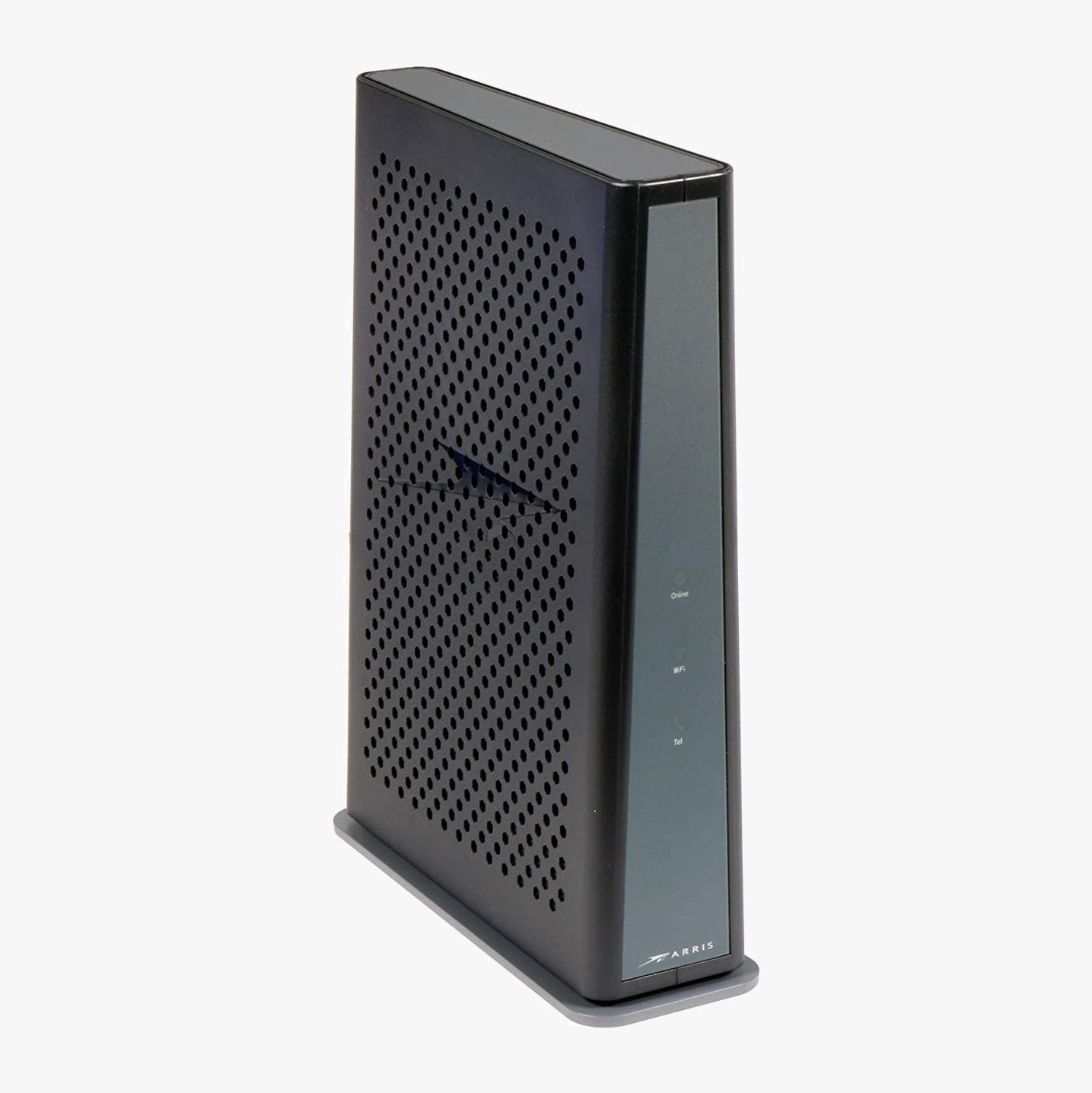
The renewed ARRIS DG3450 is the DOCSIS 3.1 modem router combo that Spectrum and a long list of regional cable providers deploy as their own gateway. Buying one means you own the box, the monthly equipment fee goes away, and nothing about your service changes. It pairs a gigabit-capable cable modem with dual-band WiFi, four Gigabit Ethernet ports, and MoCA 2.0 for whole-home networking over the coax already in your walls. Every unit is tested on live cable infrastructure in the US, restored, and shipped from US warehouses with our 90-day full coverage warranty.
The DG3450 is approved for Spectrum internet plans up to 1 Gig and activates through Spectrum's standard self-install process. It is also the gateway that regional cable providers such as TDS Telecom, Cox, Mediacom, Midco, Sparklight, WOW, Astound, and Breezeline hand out, so a customer-owned unit registers the same way theirs do. Because it supports both DOCSIS 3.1 and DOCSIS 3.0, it works on standard and gigabit cable plans alike. For provider-specific steps, see our Spectrum activation guide and the Spectrum approved modem list.
The DG3450 is not on Xfinity's approved device list; Xfinity customers should choose from our Xfinity-compatible modems. It also does not work with DSL, fiber (Verizon Fios, AT&T Fiber, Google Fiber), or fixed wireless internet. Before activating, confirm this model appears on your provider's approved device page and matches your speed tier.
A gateway like the DG3450 gives you one device, one power outlet, and one setup process, which is the simplest path online for most households. A separate modem and router cost more up front and take up more space, but let you upgrade the WiFi side on its own later. If you want simplicity and solid dual-band coverage on a plan up to 1 Gbps, the DG3450 handles both jobs. If you already own a router or mesh system you prefer, you can still use it: enable bridge mode and connect your router to a LAN port. For standalone alternatives, see our Best DOCSIS 3.1 Modems of 2026 roundup, or compare every one-box option for Spectrum in our Spectrum modem router combo guide.
| DOCSIS version | DOCSIS 3.1, backward compatible with 3.0 |
| Best for plans | Up to 1 Gbps cable internet |
| Channel bonding | 2x2 OFDM/OFDMA (3.1) plus 32x8 SC-QAM (3.0) |
| WiFi | Dual-band 2.4 GHz and 5 GHz, 802.11ac Wave 2 (WiFi 5), 4x4 on 5 GHz |
| Ethernet ports | 4 x Gigabit Ethernet LAN |
| MoCA | MoCA 2.0 (coax backhaul, adapters sold separately) |
| Security | WPA2, SPI firewall, NAT, parental controls |
| Admin address | 192.168.0.1 |
| Dimensions | Approx. 9.3 x 2.9 x 8.0 in |
| Manufacturer | ARRIS (CommScope) |
Spectrum charges $10 per month for its Advanced WiFi router, and where a full gateway rental applies with other cable providers it typically runs $10 to $15 per month. At $120 to $180 a year, this renewed DG3450 pays for itself in about six months, and everything after that is savings. Some providers have reduced or bundled their fees, so check your current bill to see exactly what you are paying. If your rented gateway is aging or acting up, our guide on how long modems last covers the signs it is time to replace it.
Coaxial cable, MoCA adapters, and splitters are not included and are typically supplied by your ISP or sold separately.
If the lights keep blinking or the online indicator never goes solid, our DG3450 setup and activation guide explains what each light means, how to log in, how to enable bridge mode, and how to fix common connection issues.
Yes. Spectrum deploys the DG3450 as one of its own gateways, so a customer-owned unit activates through the standard self-install process at spectrum.net/selfinstall. It is approved for Spectrum plans up to 1 Gig.
No. The DG3450 is not on Xfinity's approved device list. Xfinity customers should choose a model from our Xfinity-compatible modems collection.
Yes. The DG3450 is a modem router combo, also called a gateway. It includes a built-in dual-band WiFi router, so you do not need a separate router unless you want to add a mesh system or use your own preferred router.
The DG3450 is a gateway model deployed by TDS Telecom on its cable internet plans. If you are a TDS customer, confirm the DG3450 is approved for your specific plan and area before activating.
Yes. Enable bridge mode in the admin panel, which turns off the DG3450's built-in router and WiFi, then connect your own router or mesh system to one of the Gigabit LAN ports. Bridge mode availability can depend on your ISP's firmware configuration. For pairing options, browse our gigabit WiFi routers.
MoCA 2.0 lets you run a high-speed wired network over your existing coaxial cable lines, which is useful for rooms where WiFi is weak. You only need MoCA if you plan to hardwire devices over coax, and you will need a MoCA 2.0 adapter at the other end.
No. The DG3450 uses 802.11ac (WiFi 5) Wave 2 dual-band WiFi. If you need WiFi 6 or WiFi 7, pair the DG3450 in bridge mode with a newer router or mesh system.
Nothing that affects how it works. The A suffix is a regional label that appears on some provider-issued units. Specs, ports, WiFi, and activation are the same.
Blinking lights during boot are normal for the first 5 to 10 minutes. After activation, the Online light should be solid green. Persistent blinking usually points to a coax signal issue or an activation that has not completed, and our DG3450 setup guide walks through every light code and fix.
This DG3450 is a refurbished unit. Each gateway is inspected, tested on live cable infrastructure, cleaned, and restored to factory settings, then backed by a 90-day full coverage warranty.
Most orders ship the same or next business day from our nearest US warehouse and arrive in 1 to 3 business days. You will receive tracking as soon as your order is on the way.
If anything goes wrong within the first 90 days, contact our USA-based support team and we will troubleshoot, replace, or refund. We stand behind every modem we ship.


Sign in with Google is fast and secure, but it ties every connected app to one account. We weigh the pros and cons on ease of use, security, and pr...

Prime Big Deal Days ended October 7, 2026. Here are the cable modem picks worth buying, the DOCSIS 3.0 models to skip, and what Spectrum customers ...

Prime Big Deal Days ended October 7, 2026, but these WiFi 7 router and mesh picks from TP-Link, NETGEAR, ASUS, and eero are still the ones to watch...
RuneScape and Old School RuneScape are not on console, but RuneScape: Dragonwilds is on Xbox Series X|S, PS5, and Switch 2. See every platform for ...
October is Cybersecurity Awareness Month, and the advice that matters fits on one page. Here are the four habits CISA wants everyone to adopt in 20...

500 Mbps is fast enough for a full house of 4K streaming, remote work, gaming, and smart devices. Here is what it handles, how long common download...