Orbi 770 vs 870 vs 970: Which NETGEAR WiFi 7 Mesh Fits Your Home
NETGEAR sells three WiFi 7 Orbi systems at three very different prices. Here is what the extra money buys, and why most homes land on the 770.


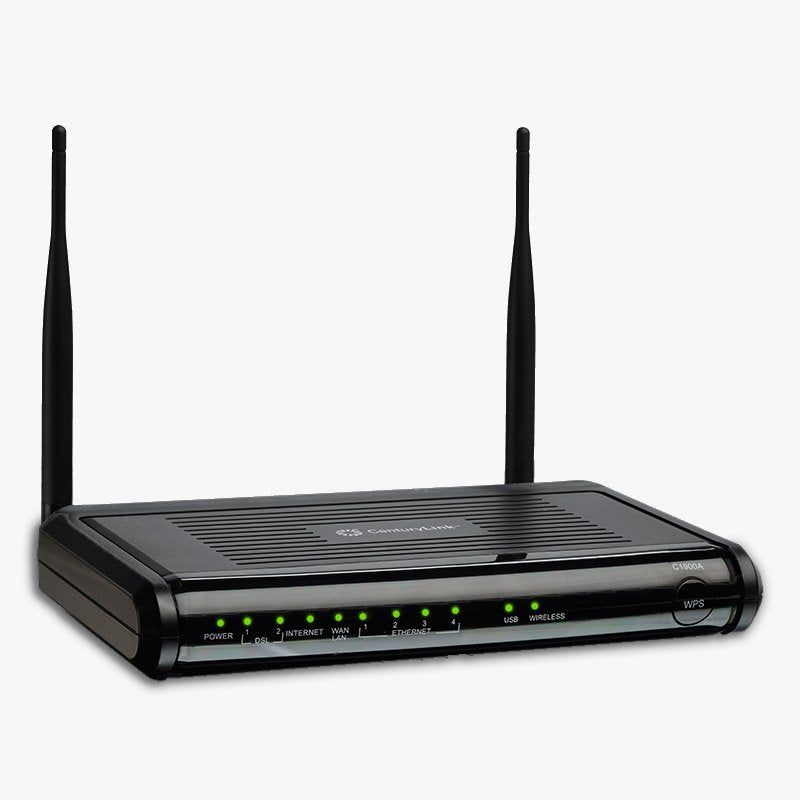
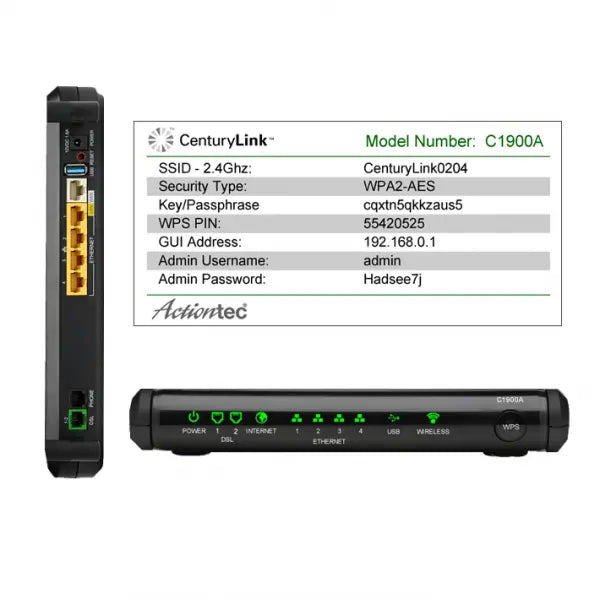
The Actiontec C1900A is a high-performance DSL gateway built specifically for CenturyLink customers. It supports pair-bonded VDSL2+ to deliver fast wireless speeds and extended coverage, making it ideal for HD streaming, online gaming, and reliable web browsing.
The CenturyLink C1900A is designed to work efficiently on both VDSL and ADSL networks. Its Auto Fall Back technology allows seamless operation across VDSL2, ADSL2+, and ADSL2. This flexibility provides a future-proof networking solution. If you ever upgrade or change your service plan, your hardware remains compatible.
Bonded VDSL2+: Maximizes bandwidth for high-speed video streaming.
Gigabit Ethernet: Provides lightning-fast wired connections for gaming consoles and computers.
802.11n Wireless: Delivers optimized Wi-Fi connectivity for modern home networks.
The Actiontec C1900A uses MU-MIMO Smart Antenna technology to help eliminate wireless dead zones. By communicating with multiple devices simultaneously rather than one at a time, it increases whole-home coverage and minimizes lag during peak network usage.
Protect your personal data with a fully customizable firewall and advanced security features.
Stateful Packet Inspection (SPI) and Denial of Service (DoS) protection.
Built-in content filtering and intrusion detection.
WPA, WPA2, and WEP encryption to block unauthorized network access.
Actiontec C1900A DSL Modem Router
High-Speed DSL Phone Cable
Power Supply Unit
Ethernet Cable
Quick Start Installation Guide
This modem is specifically optimized for CenturyLink DSL service. While it supports broad VDSL and ADSL standards, we highly recommend contacting CenturyLink customer support before purchasing to verify that the C1900A is compatible with your specific local service plan.


NETGEAR sells three WiFi 7 Orbi systems at three very different prices. Here is what the extra money buys, and why most homes land on the 770.
Restarting your router fixes most slowdowns and dropped connections in about three minutes, and it keeps every setting intact. Here is the right or...
The S33 and S34 are the same modem except for one thing: the S34 supports mid-split uploads. Whether that matters depends entirely on your plan and...

Deco BE63 vs Orbi 770 is closer than the price gap suggests. One spec table, three 3-packs, and a WiFi 6 alternative for homes that do not need WiF...

Orbi 770 Series 3-pack fit check: the homes and plans it suits, the ones it does not, and what the subscription and warranty fine print means.

Qwen3.8-27B now loads on 8GB of RAM, but the useful floor is 12GB and a 24GB GPU or Mac runs the full 4-bit build. Re-verified September 1, 2026, w...